Can't run designer in my net6.0-windows WPF application

Hello team
i use FR trial version in my net6.0-windows WPF application
i was embed reportviewer in a WindowsFormsHost and it running a report with viewer successfully,
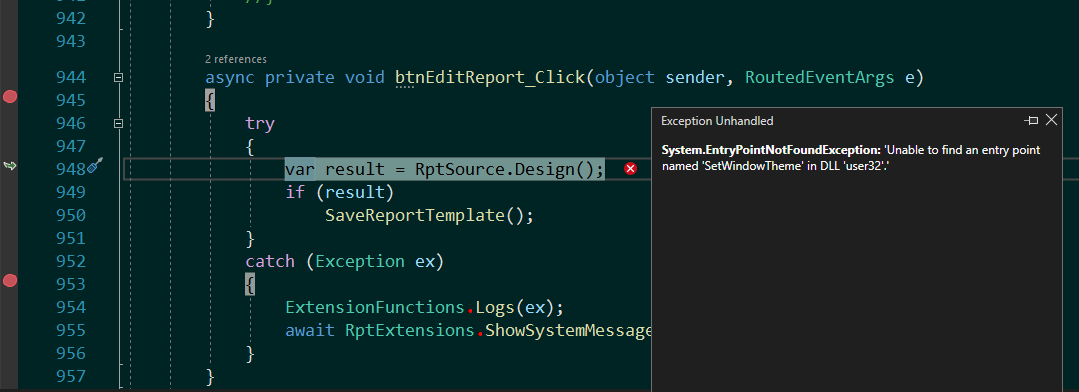
but when i call report.Design() the reporting engine return a exception message:
Maybe you can help ?
Thanks
System.EntryPointNotFoundException
HResult=0x80131523
Message=Unable to find an entry point named 'SetWindowTheme' in DLL 'user32'.
Source=FastReport.Bars
StackTrace:
at FastReport.DevComponents.DotNetBar.Controls.ComboBoxEx.SetWindowTheme(IntPtr hWnd, String pszSubAppName, String pszSubIdList)
at FastReport.DevComponents.DotNetBar.Controls.ComboBoxEx.RemoveTheme(IntPtr handle)
at FastReport.DevComponents.DotNetBar.Controls.ComboBoxEx.OnHandleCreated(EventArgs e)
at System.Windows.Forms.Control.WmCreate(Message& m)
at System.Windows.Forms.Control.WndProc(Message& m)
at System.Windows.Forms.ComboBox.WndProc(Message& m)
at FastReport.DevComponents.DotNetBar.Controls.ComboBoxEx.WndProc(Message& m)
at System.Windows.Forms.Control.ControlNativeWindow.OnMessage(Message& m)
at System.Windows.Forms.Control.ControlNativeWindow.WndProc(Message& m)
at System.Windows.Forms.NativeWindow.Callback(IntPtr hWnd, WM msg, IntPtr wparam, IntPtr lparam)
Comments
I´am facing same issue did you get workorund?
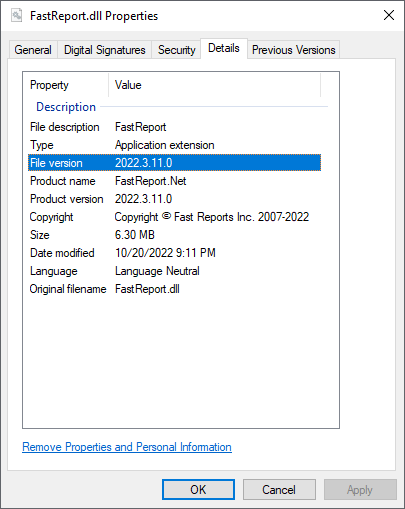
This issue orcur because i was referent FastReport.dll from demo package.
it will be gone, when you referent FastReport from nuget packages
Hello!
Add <UseWindowsForms>true</UseWindowsForms> to the .csproj file and initialise WinForms before launching the designer (Application.SetHighDpiMode(HighDpiMode.SystemAware); Application.EnableVisualStyles();).