WPF 6.0-windows, when design a report template, occur an "Overflow error" error

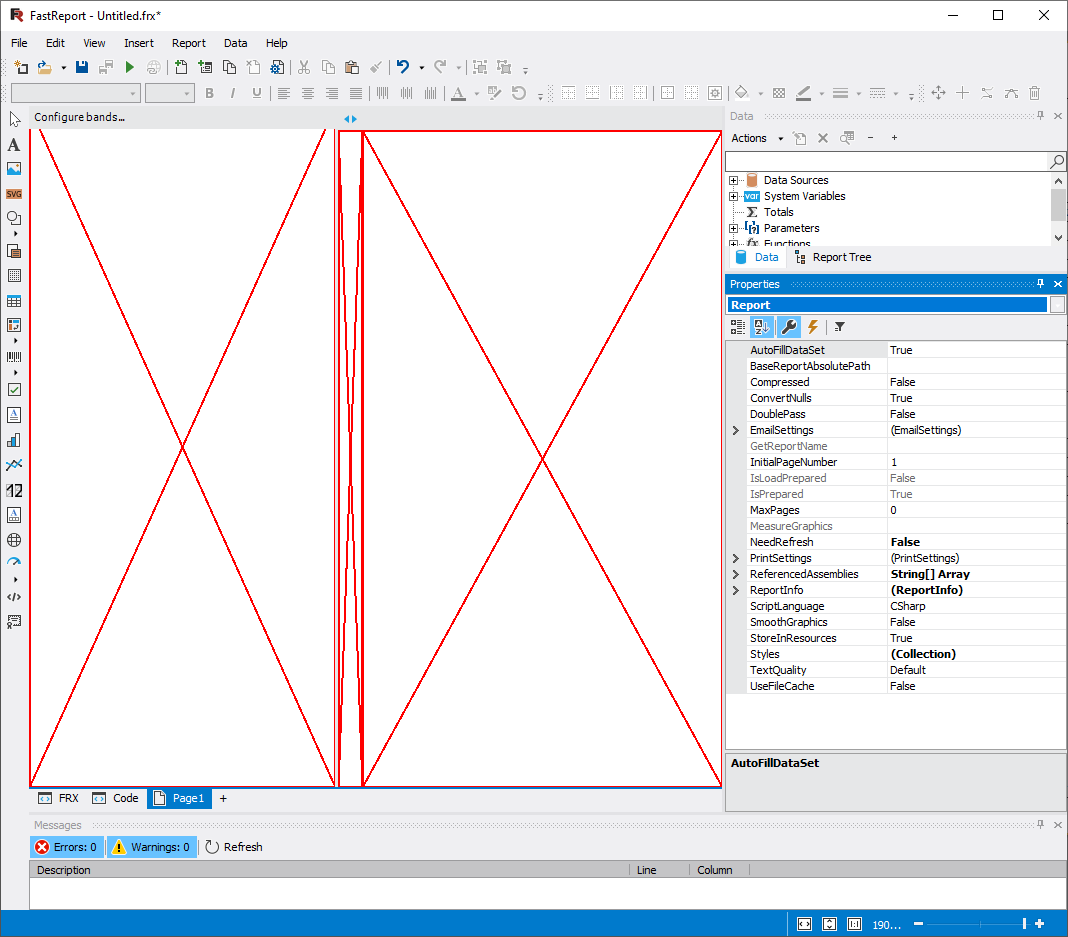
Hi team,
I developing a test project in WPF 6.0-windows with Fastreport Demo vesion from Nuget
I had an issue with report designer. When i call: Report.Design(true);
This is message error and exception StackTrace:
"System.OverflowException
HResult=0x80131516
Message=Overflow error.
Source=System.Drawing.Common
StackTrace:
at System.Drawing.Graphics.CheckErrorStatus(Int32 status)
at System.Drawing.Graphics.FillRectangle(Brush brush, Single x, Single y, Single width, Single height)
at System.Drawing.Graphics.FillRectangle(Brush brush, RectangleF rect)
at FastReport.BandBase.DrawBandHeader(Graphics g, RectangleF rect, Boolean drawTopLine)
at FastReport.Design.PageDesigners.Page.BandStructure.DrawItems(Graphics g)
at FastReport.Design.PageDesigners.Page.BandStructure.OnPaint(PaintEventArgs e)
at System.Windows.Forms.Control.PaintWithErrorHandling(PaintEventArgs e, Int16 layer)
at System.Windows.Forms.Control.WmPaint(Message& m)
at System.Windows.Forms.Control.WndProc(Message& m)
at System.Windows.Forms.ScrollableControl.WndProc(Message& m)
at FastReport.Design.PageDesigners.Page.BandStructure.WndProc(Message& m)
at System.Windows.Forms.Control.ControlNativeWindow.WndProc(Message& m)
at System.Windows.Forms.NativeWindow.Callback(IntPtr hWnd, WM msg, IntPtr wparam, IntPtr lparam)
"
Does any one get same issue ?
Comments
eureka
This is solution after 2 days research
Thankyou !
Hello!
In the latest version of FastReport.Net 2026.2.8, within a .NET 8 WPF project, calling `report.Design(true)` with these settings opened the RibbonDesignerForm without triggering an `OverflowException`. You can update to view the changes.