Problem with report by Dot Matrix printer

Hi,
" I have problem with pdf report when I create report with FastReport and print by Dot Matrix printer. "
I create report from FastReport Avalonia Designer and saved the .frx file.
Then, I create pdf report from .frx file (FastReport.OpenSource.Export.PdfSimple).
This is downloaded pdf file
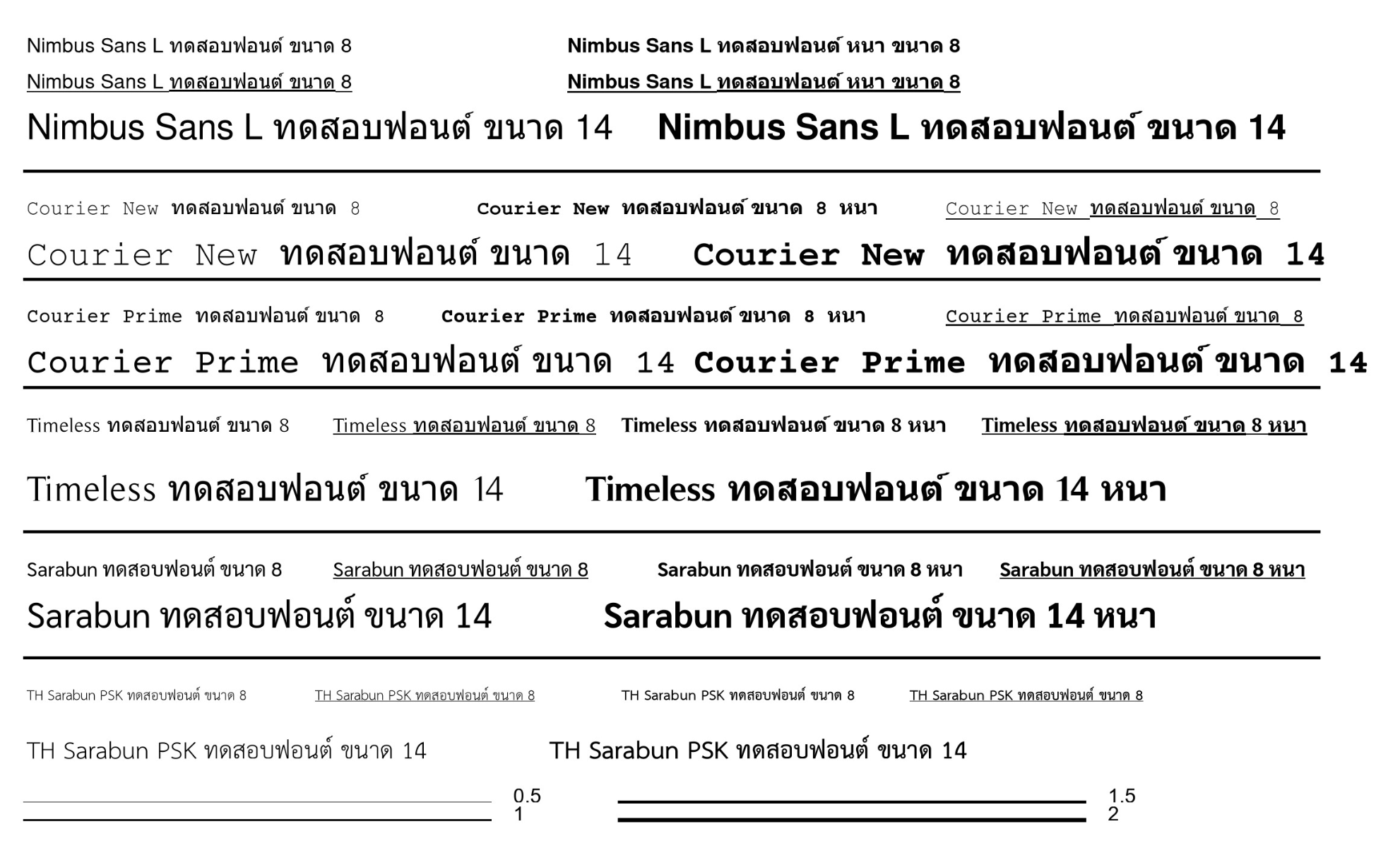
But this is report from printer
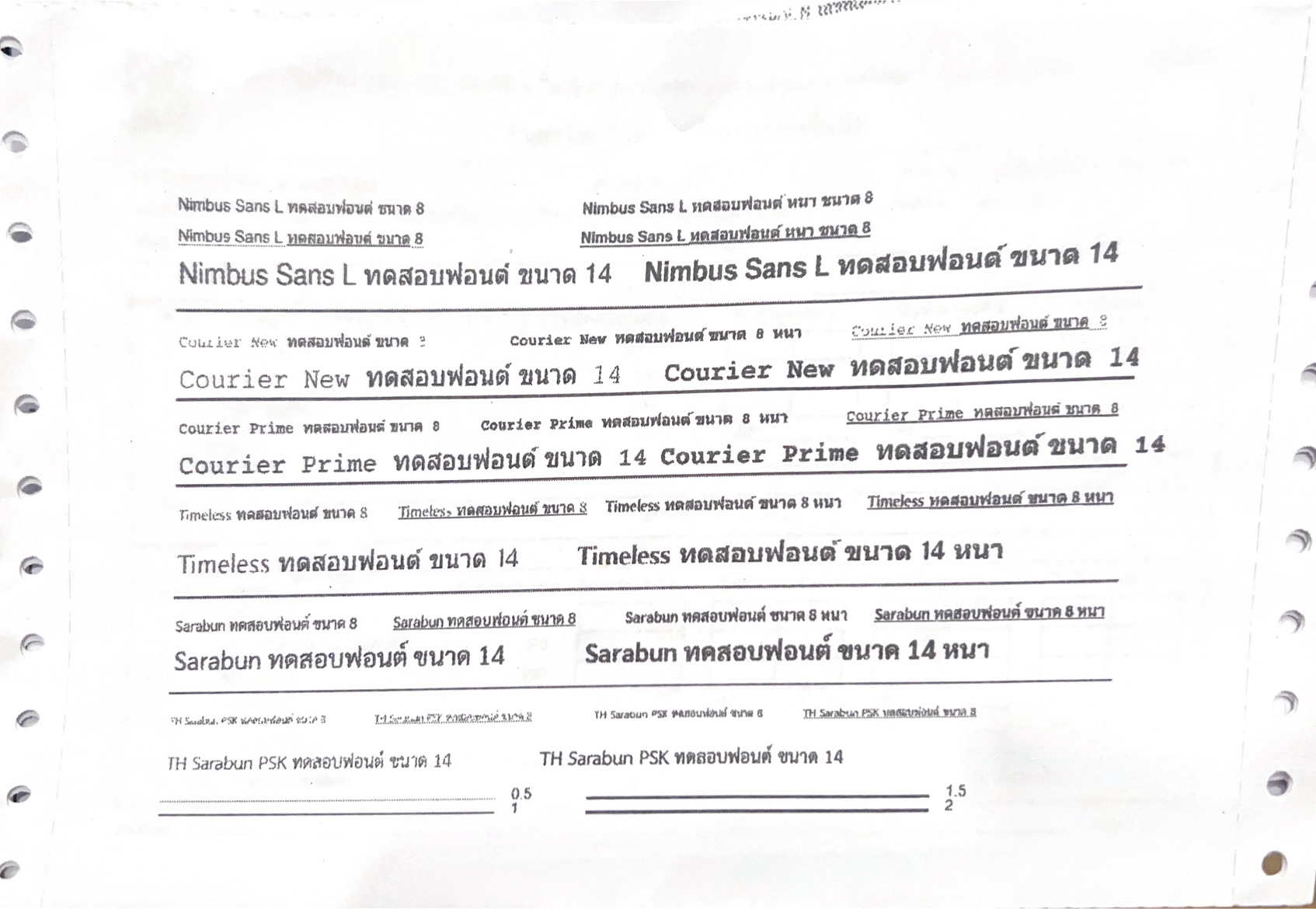
The report from printer is dots lined up but I need obvious report look like a laser printer.
Please help me 😥😬
- Printer : Fujitsu DL7600 pro (continuous paper)
- Designer : Avalonia V 11.0
- MacOS 14.1.1, M2
- FastReport.OpenSource.Export.PdfSimple 2024.2.1
This discussion has been closed.
Comments
Hello!
FastReport.OpenSource.Export.PdfSimple does not render each page as an image (96 DPI by default) and embed it within the PDF.
To resolve this issue, you can increase the DPI (within the OpenSource version) by setting `new PDFSimpleExport { ImageDpi = 300 }` (or 600, depending on the printer’s physical resolution); this will make the lines thicker.
Alternatively, use the commercial FastReport.Export.Pdf.PDFExport (which you can test in the FastReport.Core\FastReport.Net.Demo\FastReport.Avalonia.Demo package), which saves text as vector TrueType fonts without rasterisation.