Subreport: limit number of rows per page

Hello.
Is it possible to limit number of rows that Subreport can print on single page?
I have this result:
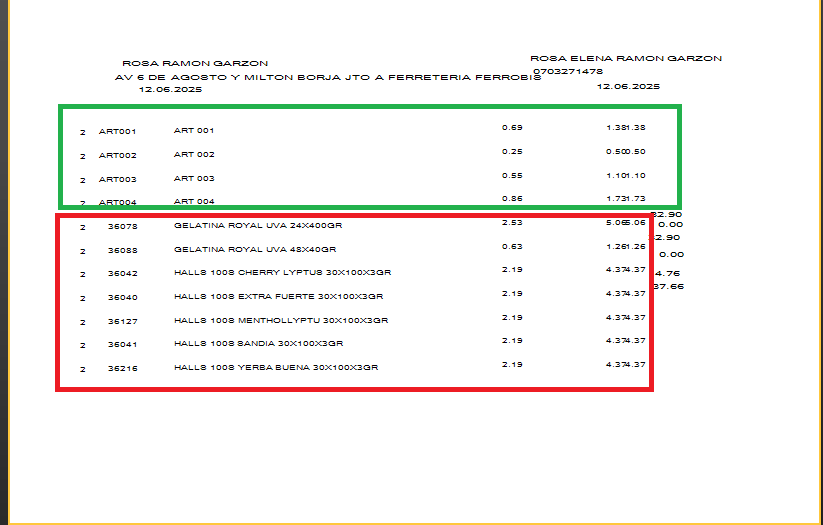
I need that FastReport divide total number of rows in subreport and for every 4 records - pass rest of data to next page.
Here are my report:
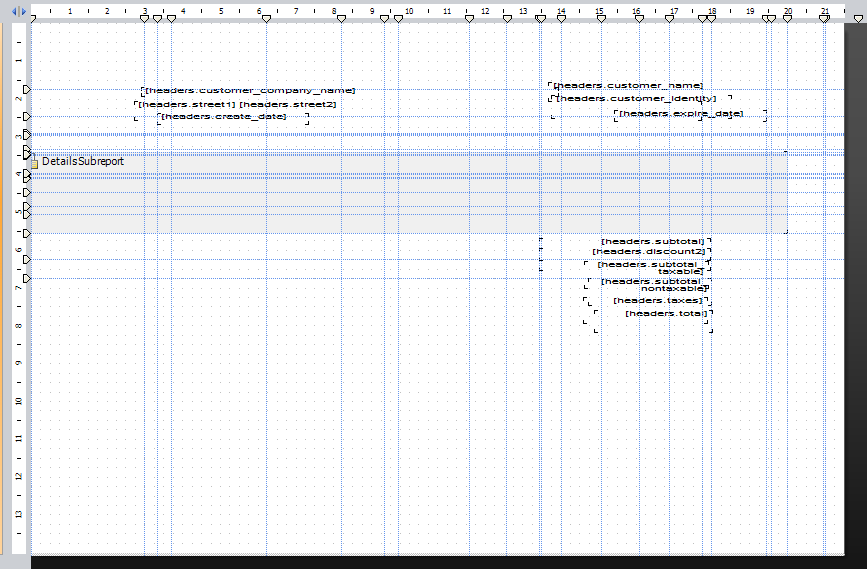
Subreport:

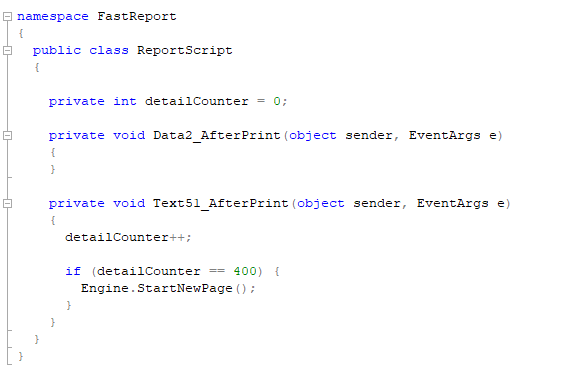
I tried to do some with code but this doen't work - all subreport just pass to new page with header:
Thanks.
This discussion has been closed.
Comments
Hello!
The number of rows is determined by the page height and the band height, whilst DataBand.MaxRows limits the number of rows in the data source, not the page. 10 rows with MaxRows = 4 result in 4 rows and one page.
Calculate based on the printed page height: PaperHeight − TopMargin − BottomMargin = header + 4 × row height.
For multi-column layout, use page columns (ReportPage.Columns) — rows will be placed within a column rather than on a new page.
Use MaxRows only to limit the amount of data, not for pagination.